
How it works
How AdWalk works.
Your ad goes on a screen that walks through Leicester city centre. You decide what it shows. Here is how a booking works, what happens if you choose a scannable offer, and how an hour is shared between advertisers.
The five steps
-
Step 1
You choose what it shows.
A dish and a price, a looping clip, a deal that changes daily, a job advert, or a code people can scan. Send us the artwork, or tell us what you want and we will set it up.
- Any format, same price
- Change it between bookings
- More than one ad? They take turns
-
Step 2
The screen walks the route.
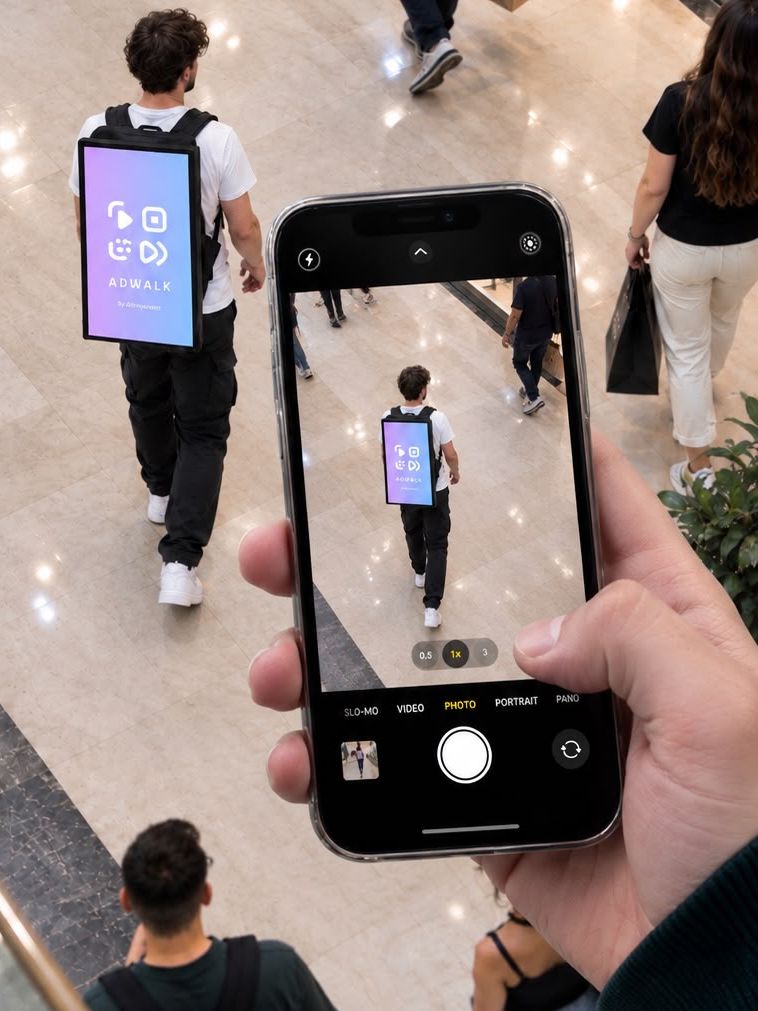
An AdWalk walker carries the LED screen from Leicester Station, along Granby Street, to the Clock Tower. Your offer plays in rotation all day, Friday to Sunday.
- 6 hours a day, late morning to early evening
- The same route every shift
- No sales pitch and nobody gets blocked
-
Step 3
Someone scans the QR code.
If your ad carries a QR code, a passer-by points their phone camera at it and the claim page opens straight away in their browser. There's nothing to download.
- Works on any phone with a camera
- Every claim is recorded with the time
-
Step 4
They claim a unique code.
They enter their name, email and mobile number and accept the offer terms. They get a code on screen and one tap to get directions to you.
- Directions in Google Maps, Apple Maps or Waze
- Marketing consent is separate and optional
-
Step 5
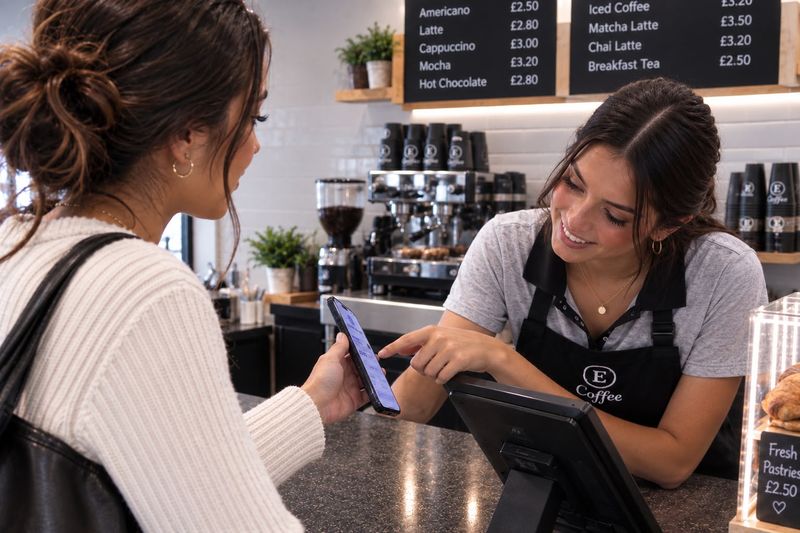
Your staff check the code.
At the counter, your staff type the code into a simple web page on any phone or tablet. It confirms the offer and marks the code as used, with the time.
- Each code works once
- A used code shows when it was redeemed
- Works on any phone, tablet or computer

Screen time
How the screen is shared.
Book an Exclusive Hour and the screen is yours for all 60 minutes. Book a Shared Hour and up to three advertisers take turns, a minute each, round and round for the hour. That works out at 20 minutes each, spread evenly rather than stuck in one block.
What an hour buys
-
Exclusive Hour
60 minutes
- Screen time
- The whole hour
- A 60-second ad plays
- 60 times
- A 30-second ad plays
- 120 times
-
Shared Hour
20 minutes
- Screen time
- A minute at a time
- A 60-second ad plays
- 20 times
- A 30-second ad plays
- 40 times
A static image counts the same as a video: it is screen time either way. Book more than one hour for more of it. If you have more than one ad, they play in order and then start again.
Who does what
What you do, and what we do.
You
- Choose the offer, the price and when it ends
- Honour every valid code at the advertised price
- Show your staff how to check a code
- Give us your correct business name and address
- Keep your offer legal and honest
AdWalk
- Put your ad on the screen for your booked screen time
- Run the walker and the route every Friday to Sunday
- Host the claim page, codes and directions
- Give your staff the page to check codes
- Send you the numbers after your campaign
- Help design your ad if you need it
If a shift is cut short
You get the time back.
The screen is an outdoor product. It doesn't go out in heavy or persistent rain, and a walker will stop a shift if the equipment develops a fault or it isn't safe to carry on.
If that happens, we reschedule the lost screen time onto another shift, so you still get everything you paid for.
Questions
Common questions.
Anything else, ask us when you book a demo.
Do customers need to download an app?
No. They scan the QR code with their phone camera and the claim page opens in their browser.
What do customers give to claim an offer?
Their name, email address and UK mobile number, and they accept the offer terms. Marketing consent is a separate, optional choice.
How do my staff check a code?
They type the code into a simple web page on any phone or tablet. It confirms the offer and marks the code as used. If someone tries the same code again, the page shows when it was already used.
What happens if it rains?
The screen doesn't go out in heavy or persistent rain. If a shift is cut short by weather, an equipment fault or a safety issue, we reschedule the lost screen time onto another shift.
Can I run more than one ad?
Yes. Your ads play in order, Ad 1, Ad 2, Ad 3, then back to Ad 1, inside your share of the screen time.
Who designs the ad?
You can send your own, or we can design it for you. Ask us and we'll give you a price.
How far ahead do I need to book?
At least 5 days before your first weekend, so there's time to set up your ad and claim page.
Which days and times does the screen run?
Friday, Saturday and Sunday, for 6 hours a day from late morning to early evening.
See it working in 60 seconds. Ask for the live demo.
We'll show you the screen, the route and the formats, and you can decide what yours shows.
Ask for the live demo